- Redesigns
- Relay
- Concept
- Product UI
- Original concept
Relay
An incident console where the AI writes the first summary and proposes the next step, and the engineer stays in charge.
- Industry
- AI for incident response
- Type
- SaaS product interface
- Year
- 2026
The concept
During an outage an on-call engineer has minutes to work out what broke, who is affected and what to try first. Relay is a concept for the console they would open: incidents ranked by severity, a summary drafted from alerts and deploys, and suggested actions that never run without a click.
The dashboard and the onboarding flow are coded prototypes. Filtering, search, incident selection, queued actions and the empty, loading and error states all work.
Relay is a fictional brand created for this concept. Any product details shown are illustrative.
Product screens
Use the interface.
Switch pages and devices. Interactive previews are the working prototype; screenshots are marked as such.
Interactive prototype: a working, coded build of the concept
Incident console
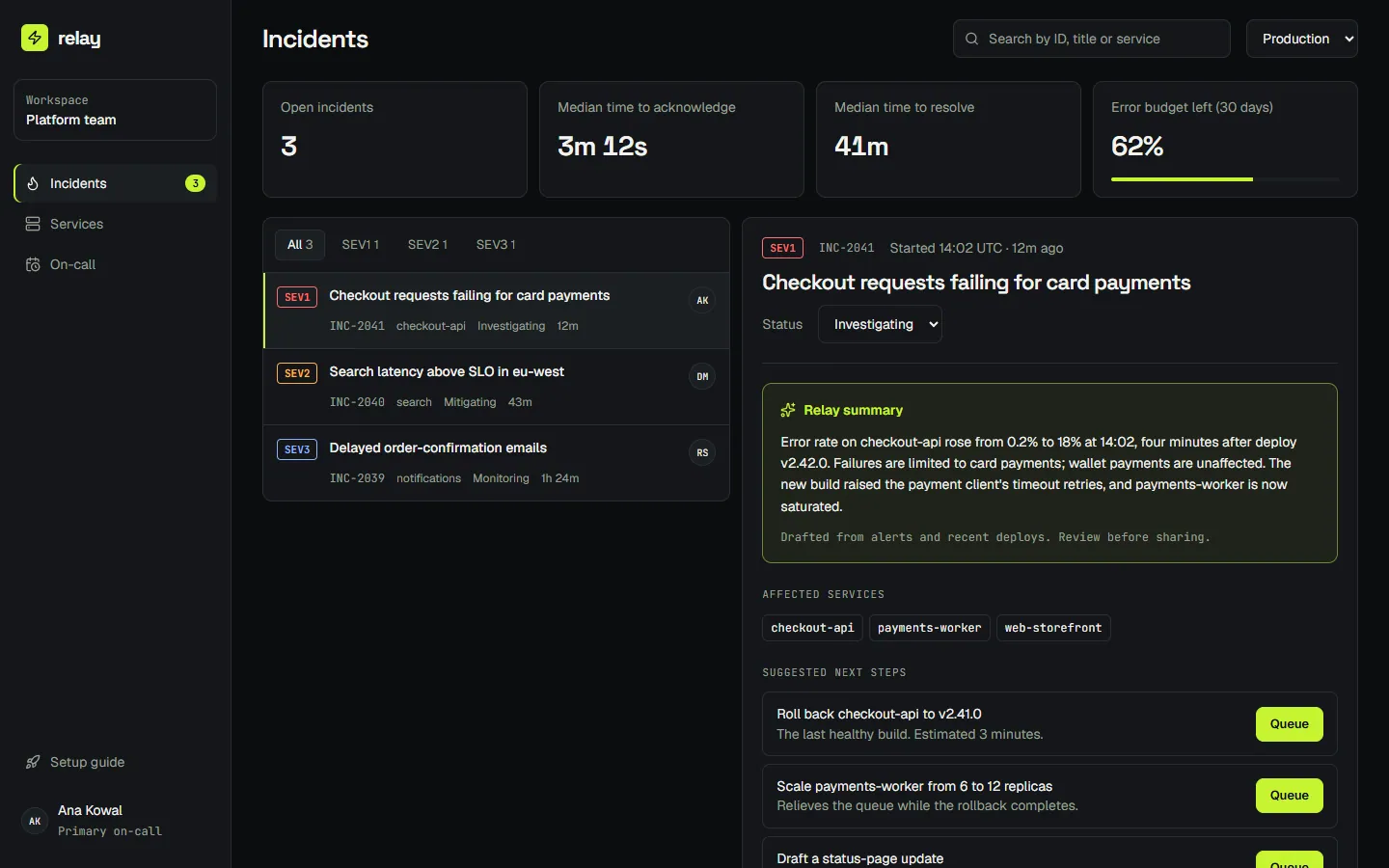
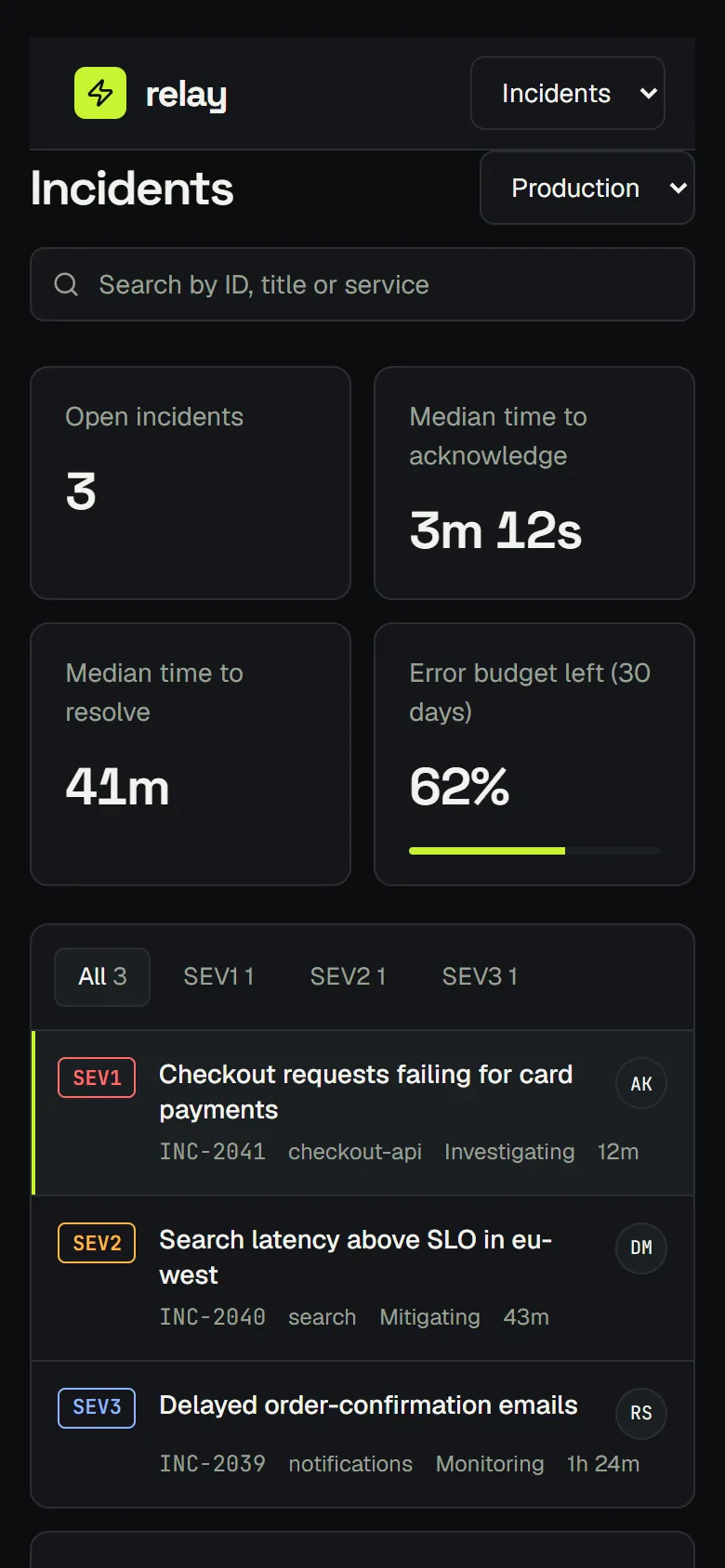
Open incidents by severity, a searchable list, and a detail pane with the AI summary, timeline and suggested actions.
- Severity is carried by label and position as well as colour.
- Suggested actions queue on click and say so; nothing runs on its own.
Journeys
Key user journeys
Triage an incident
From a page to a first action in under a minute.
Scan by severity
The SEV filter narrows the list; the counts update as incidents open and resolve.
Try it in the prototypeRead the summary
Selecting an incident opens the drafted summary, the affected services and the deploy that preceded it.
Try it in the prototypeQueue an action
Suggested steps such as a rollback are queued with one click and remain visible in the timeline.
Try it in the prototype
Onboard a team
A workspace that is useful before its first incident.
Connect a source
Pick where alerts come from. Each option states what Relay will read.
Try it in the prototypeChoose services
Select the services this team owns, so summaries name the right owners.
Try it in the prototypeRoute escalation
Set who is paged first and when it escalates, then land on the console.
Try it in the prototype
Interface states
Designed for the bad days too.
Every state below is reachable in the prototype, not only drawn.
All clear
No open incidents. The page says so plainly and points to recent resolutions.
Open this stateConnection error
Names the failing dependency and offers a retry, instead of an empty table.
Open this state
Design rationale
Why it looks and works this way.
The AI drafts, the engineer decides
Every suggestion is labelled as a suggestion and needs a click. Trust in an incident tool is lost the first time it acts alone.
Severity you can read without colour
SEV labels, ordering and a left rule carry severity, so the list works for colour-blind engineers and on a dimmed laptop at 3am.
States are designed, not defaulted
Empty, loading and error each have a designed screen. An outage console that shows a blank table during an outage is the worst case.
Dense, not cramped
A technical grotesk and a monospaced face for IDs and timings keep a lot of information legible at a glance.
Scope
What the concept includes.
Delivered with the concept
- Incident console with list, detail and action states
- Onboarding flow, three steps
- Empty, loading and error states
- Coded, responsive prototype
- Component and token documentation
Can be extended to
- Product discovery with your on-call engineers
- Design system extended to settings, reporting and integrations
- Front-end implementation against your API
Work with me
Discuss this design.
Every engagement starts with a conversation about your goals. Scope and pricing are agreed before any work begins.
Adapt it to your brand
Keep the structure, then fit the typography, colour, copy and imagery to your brand and your real content.
Commission the build
Have the full website implemented: responsive, accessible, fast, and handed over on the stack you run.
Request a proposal
Start from your current site instead. You get a written redesign proposal with scope and a plan.
Talk it through.
Send a short note about your business and what you need. You will get a personal reply, usually within two working days. Prefer to talk? Book a call or write directly.